Image to Bead Pattern Maker Online
Convert Image to Perler Bead Pattern Free
Transform your favorite images into professional Perler bead patterns. Customize colors, sizes, and count your beads with our precise online converter.
Drop image here, or click select
Supports JPG, PNG and WEBP
Preview Area
Best Uses for Image to Bead Pattern Maker
Explore how creators use our free bead pattern maker for professional Perler, Hama, and Nabbi projects.
Photo to Bead Patterns
Convert family photos or pet pictures into custom Perler bead designs with professional color mapping.
Anime Pixel Art Patterns
Generate pixel-perfect Hama bead patterns of your favorite manga and anime characters in seconds.
Classroom Bead Projects
An educational bead pattern maker for students to learn about pixel art, symmetry, and color palettes.
Custom Bead Art Gifts
Design unique patterns and get instant bead designs for birthday or holiday gifts with our pixel art tool.
Professional Features of Image to Bead Pattern Maker
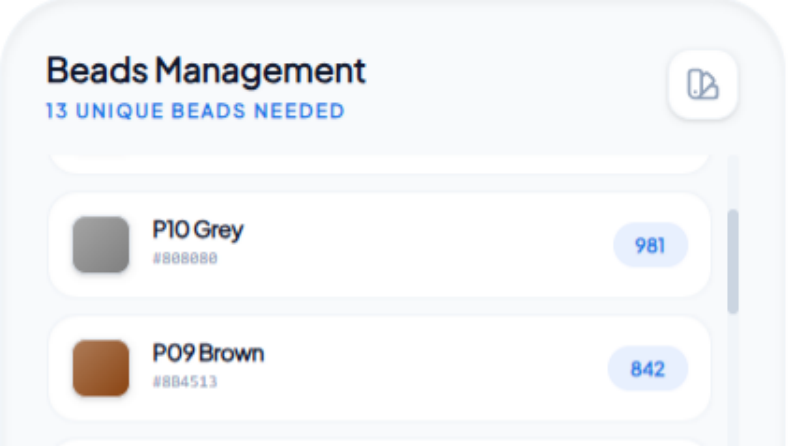
Advanced Color Palette Management
Take full control of your crafting with our intelligent color mapping system. This tool allows you to accurately match photo pixels to real-world bead colors. You can easily exclude specific colors from your palette, forcing our Image to Bead Pattern Maker to find the next best match from your existing stock of Perler or Hama beads.
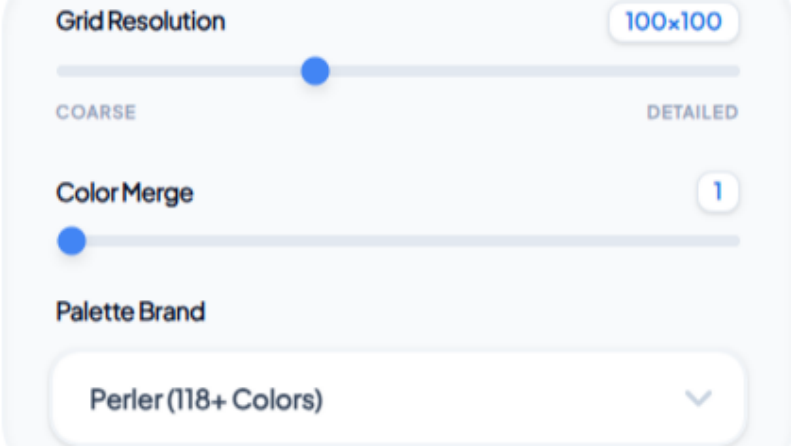
Adjustable Grid Precision & Scaling
Fine-tune every pixel of your custom bead designs with precision grid controls. We offer adjustable grid widths to fit any board size, from standard 100x100 squares to massive multi-board projects. Our Image to Bead Pattern Maker ensures professional-grade accuracy for even the most complex bead art mosaics.
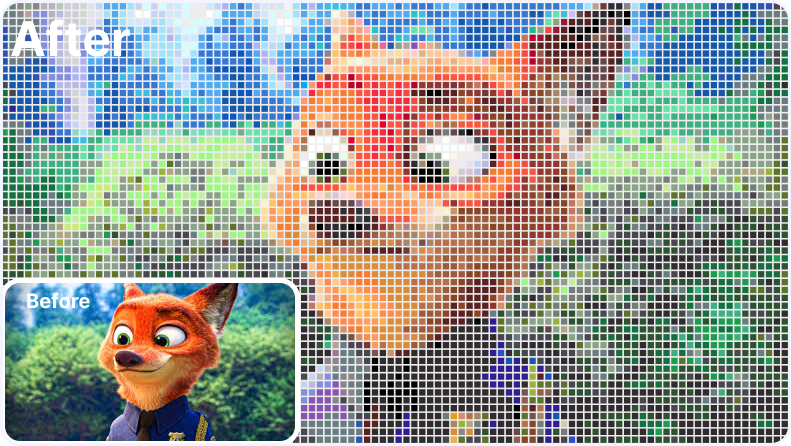
Live Previews & High-Res Downloads
Watch your art come to life in real-time with our live preview system. Adjust settings and instantly see how your designs will look on the board. When finished, download high-definition, print-ready patterns with bead counts and color guides. Our free Image to Bead Pattern Maker keeps your creative flow uninterrupted.
How to Use Image to Bead Pattern Maker
Create your own pixel-perfect bead art in three simple steps using our free tool.
Upload Your Image
Drag and drop your favorite photo into the Image to Bead Pattern Maker. We support JPG, PNG, and WebP formats for the highest quality conversion results.
Customize Your Design
Adjust the grid width to match your bead board size and use color merging to optimize the pixel art complexity.
Download & Create
Preview your finalized pattern and download the high-resolution guide with exact bead counts to start crafting.
Why Choose Our Image to Bead Tool?
100% Free Forever
Enjoy unlimited creation without any hidden costs. Generate high-quality patterns and download them instantly, no subscriptions or watermarks required.
No Login Required
Start your creative project immediately. We respect your time—no account or sign-up is needed to access our professional features.
Professional Precision
Our advanced algorithms are specifically optimized for physical pegboards, ensuring every pixel perfectly aligns with real-world bead locations.
Client-Side Security
Your privacy is our priority. All processing happens locally in your browser, meaning your images are never uploaded or stored on any server.
Image to Bead Pattern Maker FAQs
Everything you need to know about creating custom bead patterns.